
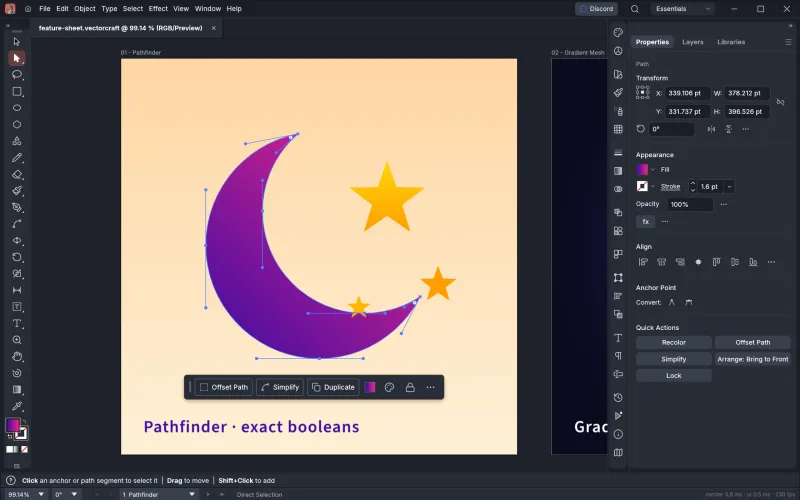
Pen and Direct Selection
Real Bézier anchors and handles, Smart Guides and a contextual task bar that offers the next likely action.
VectorCraft is a vector illustration app from the ArtCraft team, written from scratch in Rust. It has the Pen, Direct Selection, Pathfinder, Layers and Appearance panels you know from Adobe Illustrator, opens SVG, PDF and PDF-compatible .ai files, and can be driven by AI agents over MCP. It is free under the MIT or Apache-2.0 license and runs on macOS, Windows, Linux, FreeBSD and in the browser. You can try it online right now, without installing anything.
VectorCraft is an open-source vector illustration editor. It is a clean-room reimplementation of the Illustrator workflow, written in pure Rust with no Adobe code or assets, and it renders on the GPU so large documents stay smooth.
It is one of the Crafting Apps from the ArtCraft team, alongside PhotoCraft (images), FilmCraft (video) and PdfCraft (PDF). The project started on GitHub in late September 2026 and was called DrawCraft until it was renamed in October 2026. New releases ship every few days.
Not to be confused with other products that share the name, such as a Figma plugin for converting bitmaps to SVG or a web tool for animated SVG icons. This page is about the ArtCraft vector editor.
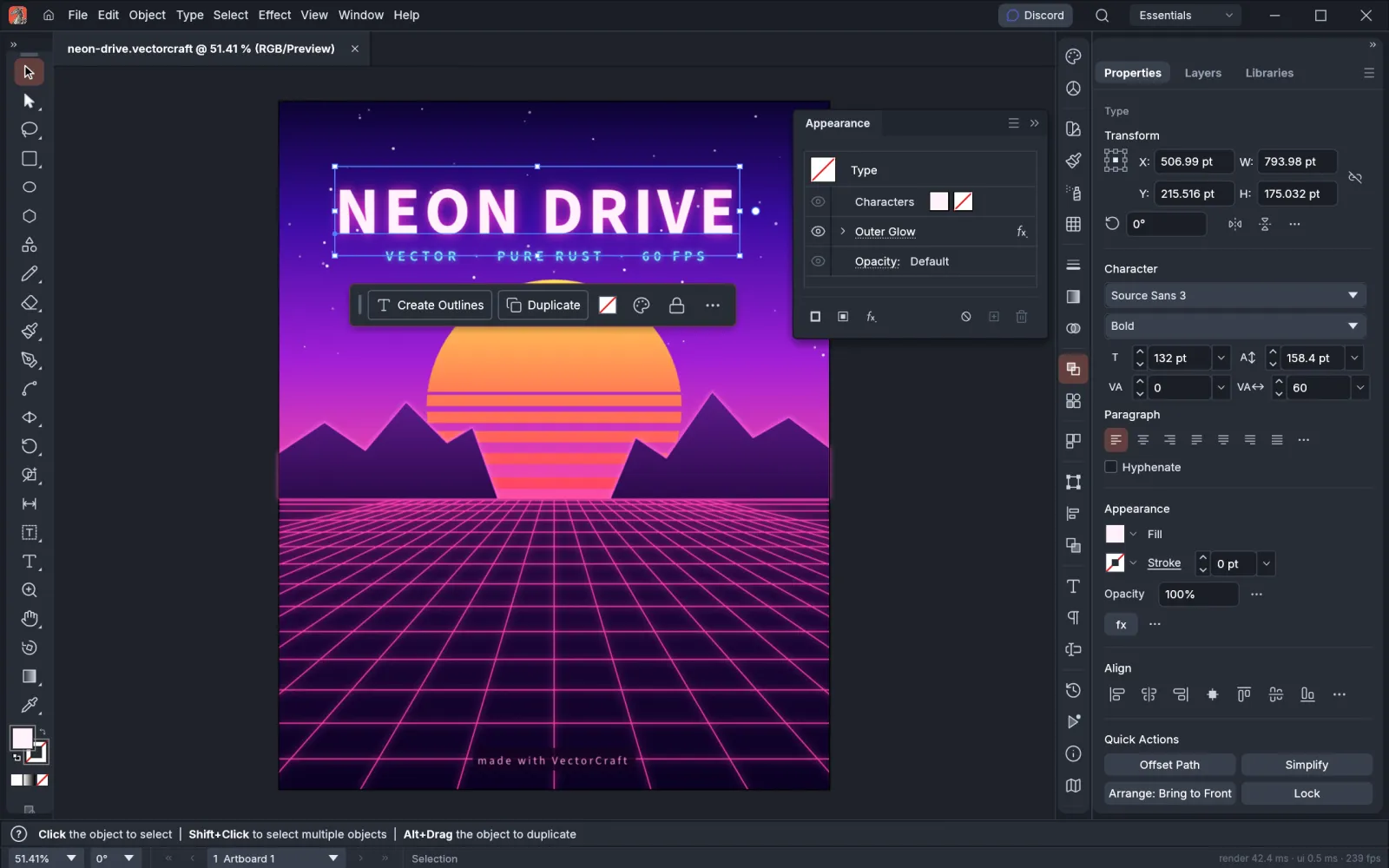
Same layout, same tool names, same shortcuts. If you have used Illustrator, you can start drawing in VectorCraft straight away.
Real Bézier anchors and handles, Smart Guides and a contextual task bar that offers the next likely action.
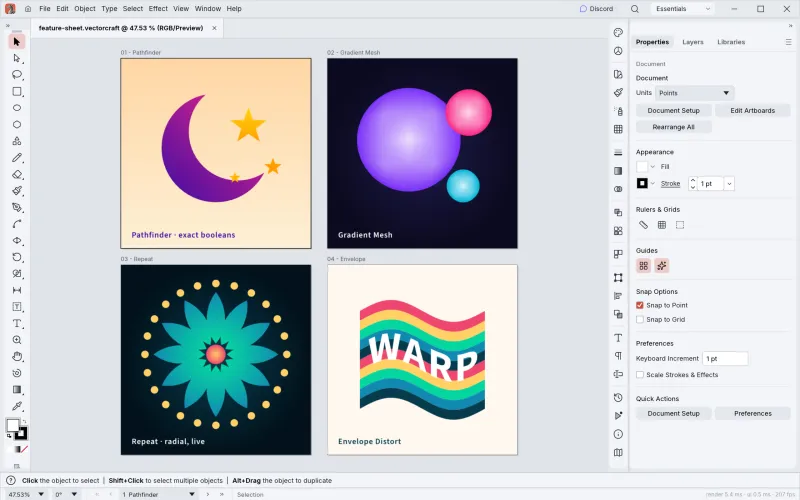
Exact curve booleans, so no more "cannot perform operation". Plus Gradient Mesh, live radial Repeat and Envelope Distort.
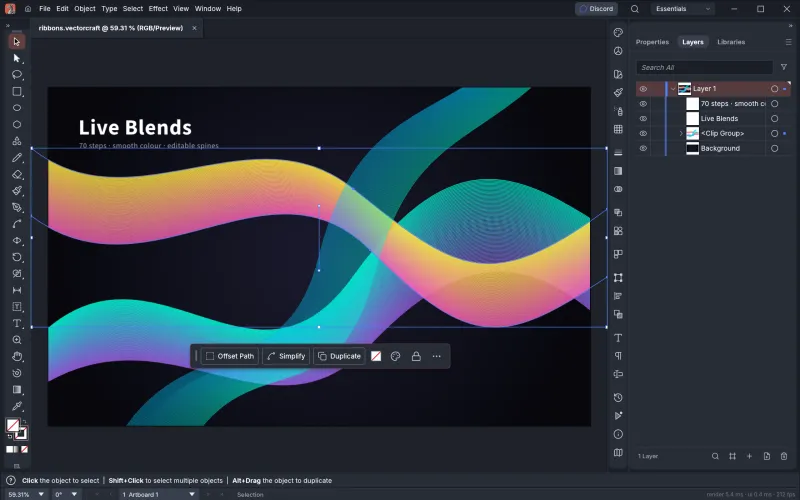
Editable blend paths with smooth colour, every object as a row in Layers, and stacked fills, strokes and effects.
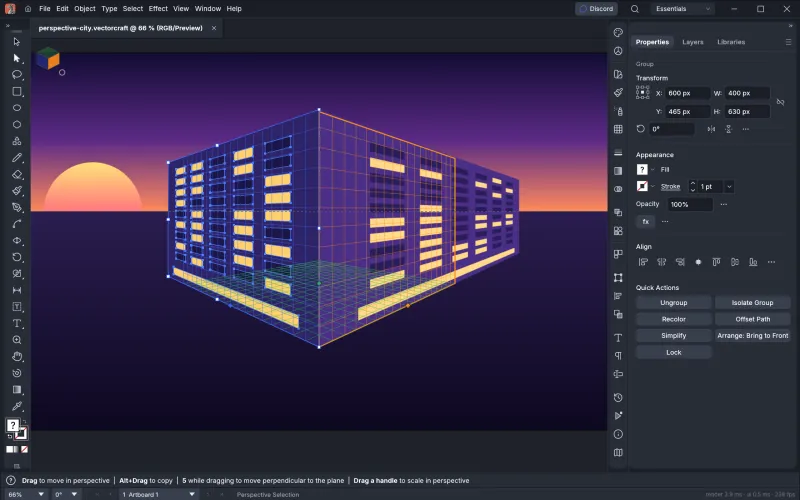
Attach art to the grid's planes and it stays editable in perspective, ready for packaging and city scenes.
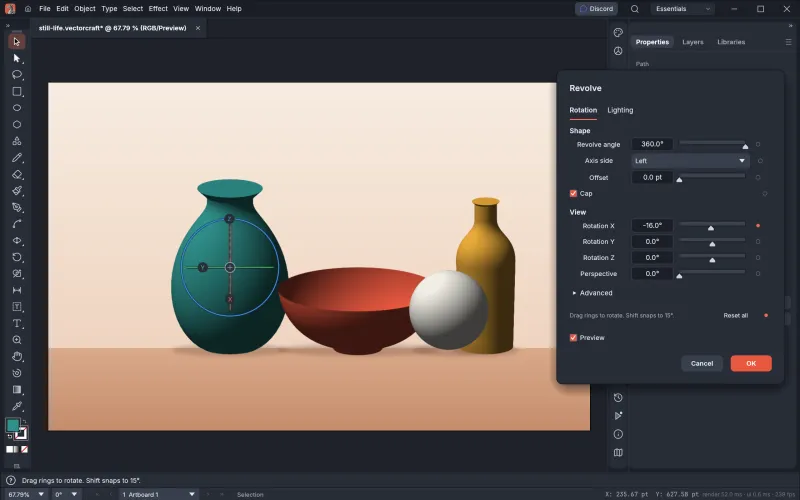
Spin a profile into a 3D object with smooth vector shading, caps and an on-canvas rotation gizmo.
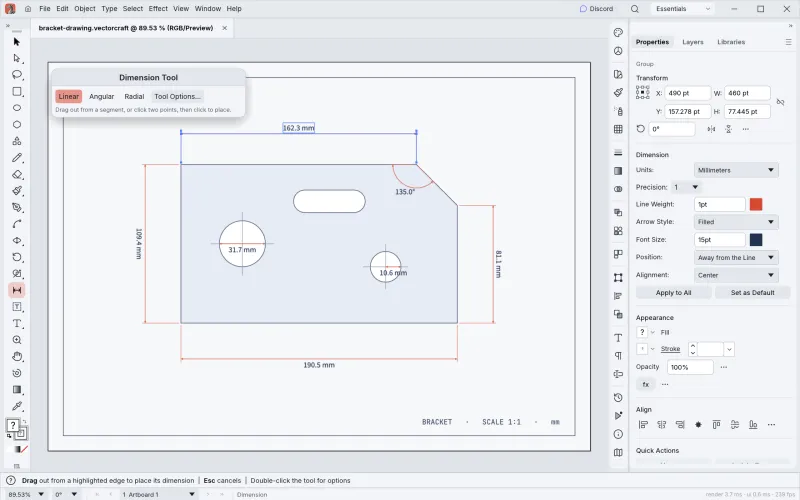
Lengths, angles and radii that follow the artwork they measure, for technical drawings and product sheets.
No install needed
The full app runs in your browser through WebAssembly. Open it, draw, and save your work to your computer. No account, no upload.
Try VectorCraft onlineVectorCraft saves to a documented JSON format and reads and writes the common exchange formats, including Affinity documents that Illustrator can't open.
Illustrator .ai files open when they were saved with PDF compatibility (the default), and legacy version 7 .ai files keep their layers, groups and type. Proprietary Illustrator-only editing data is not written back, and reliable round trips with real-world .ai files are still being worked on.
MCP · JSON control channel
Every menu item, tool gesture, panel and dialog can be driven over a JSON control channel and a built-in MCP server. Claude and other AI agents can draw, edit and export in VectorCraft the way a person does.
Choose your platform. Every button links straight to the official VectorCraft release on GitHub, so you always get the original, unmodified build.
Apple silicon and Intel Macs.
Download for macOSvectorcraft-0.14.0-macos-universal.dmg
The macOS app is signed and notarized by Apple, and the Windows installers are code-signed, so they open without security warnings.
Other systems
FreeBSD 14 (x86_64)Plain binaries. Unpack into /usr/local.vectorcraft-0.14.0-freebsd-x86_64.tar.gzWeb buildThe WebAssembly app, to host yourself.vectorcraft-web-0.14.0.zipSHA-256 checksumsVerify any file above.git clone https://github.com/storytold/vectorcraft
cd vectorcraft
cargo run --release -p vectorcraftVectorCraft is alpha software that is moving fast. Here is an honest picture of what works and what is still missing.
Figures are the project's own self-assessment from October 2026, measured against public Illustrator documentation. See ROADMAP.md
Yes. VectorCraft is open source under your choice of the MIT or Apache-2.0 license. There is no subscription, trial or account, and you can use it for commercial work.
Partly. It opens .ai files saved with PDF compatibility (Illustrator's default) and legacy version 7 .ai files with their layers, groups and type, and it can export PDF-compatible .ai. Illustrator-only editing data is not written, and reliable round trips with complex real-world .ai files are still in progress, so keep your originals.
Yes. The web version runs in any modern desktop browser through WebAssembly. Open VectorCraft online on this site, click Launch and start drawing. Your files stay on your own computer.
macOS (Apple silicon and Intel), Windows (x64, ARM64 and 32-bit), Linux (x86_64 and ARM64 as AppImage, Flatpak, deb, rpm or tarball), FreeBSD 14 and the web.
Yes. The project was called DrawCraft when it launched and was renamed VectorCraft in October 2026. It is the same ArtCraft vector editor.
No. A few unrelated products use the same name, including a Figma plugin that converts bitmaps to SVG. This page covers the open-source vector editor from the ArtCraft team.
Inkscape is mature, stable and built around SVG. VectorCraft is much younger but copies Illustrator's layout, tools and shortcuts, renders faster on the GPU and can be controlled by AI agents. If you are coming from Illustrator, VectorCraft will feel more familiar. If you need proven stability today, Inkscape is the safer choice.
Yes. The interface is available in 21 languages, including Simplified and Traditional Chinese, Japanese and Korean. In the current web version, Chinese and Korean menus are missing some characters because of a known upstream font bug, so VectorCraft online starts in English for those browsers; the desktop apps are not affected.
No. This is an independent guide. The official page is getartcraft.com/apps/vectorcraft, and every download here links to the official GitHub releases.
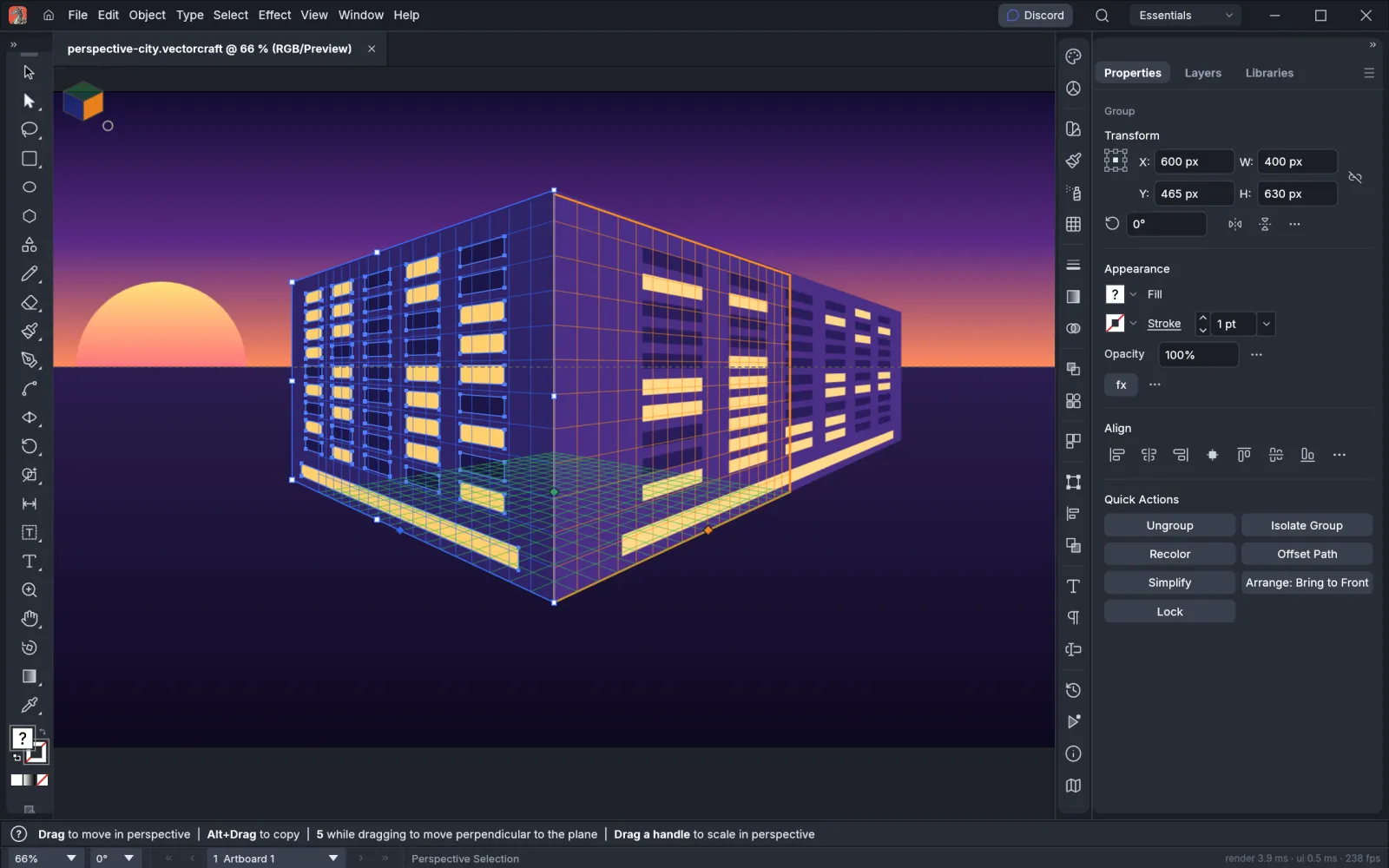
Free, open source, and it runs right in your browser.
Try VectorCraft online