
PhotoCraft vs Photoshop: A Practical PSD Round-Trip Checklist
Check editable layers, text, masks, and layer styles before and after a PSD handoff, with documented limitations and a repeatable workflow.
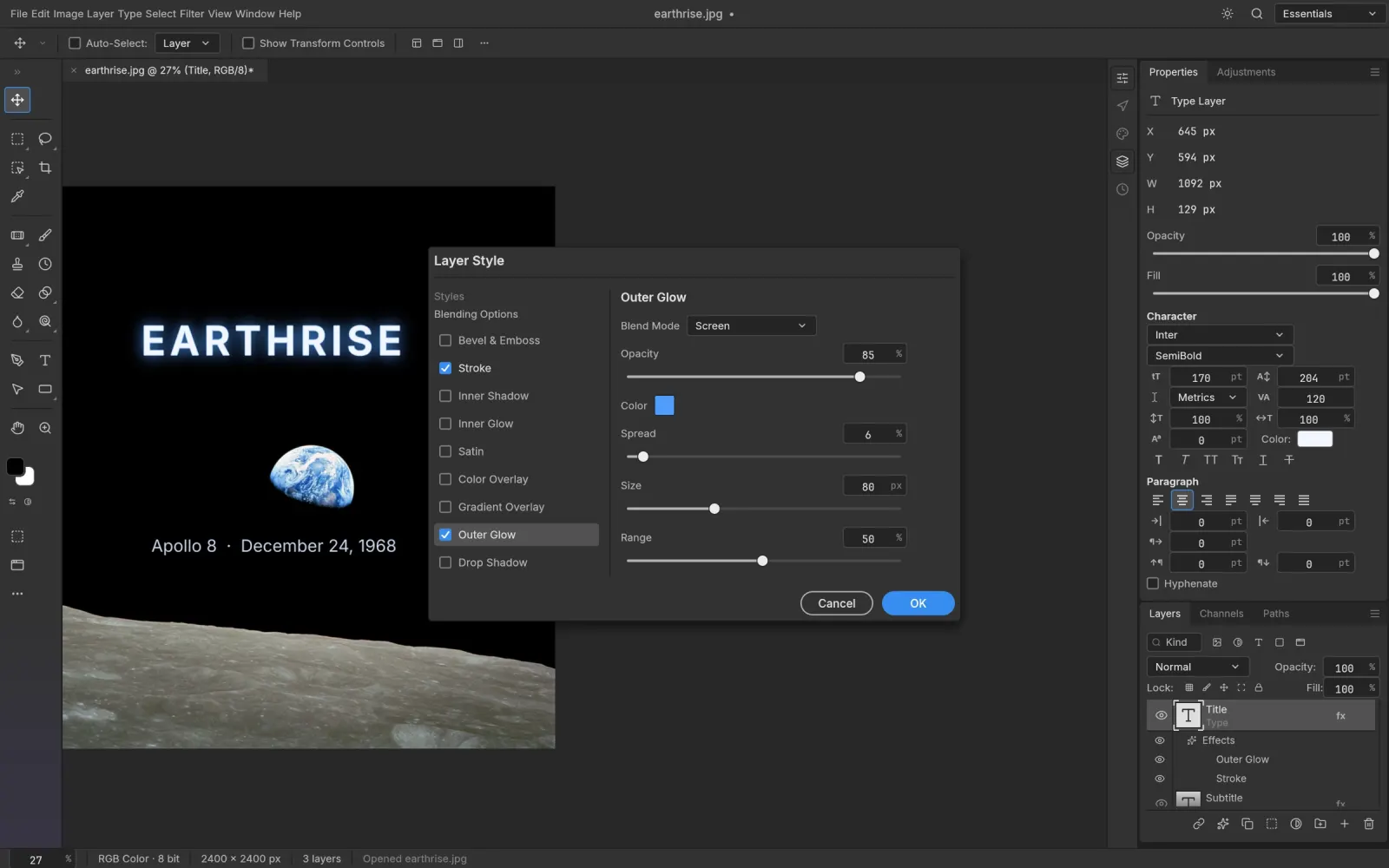
A PSD that opens successfully has passed only the first part of a handoff. The next questions are whether it looks the same, whether its layers remain editable, and whether the receiving application can reopen the saved result. Those checks matter more than a general claim that an editor “supports PSD.”
This guide provides a repeatable check for your own documents. It is based on the official documentation at PhotoCraft v0.23.0, not a completed independent Photoshop comparison. We have not measured a compatibility rate or verified that a particular effect always survives. Keep a copy of the original and decide what evidence your workflow needs before replacing it.
Understand what the project documents
The official file-format parity document describes PSD reading and writing for layers, groups, masks, text, effects, and smart objects. It also distinguishes editable smart-filter mappings from other records preserved verbatim. Retaining a record in a file does not, by itself, demonstrate that its appearance or controls match Photoshop.
The project's known gaps and release notes are useful companions. Read them for the version you install. The documented support is broad, but it should not be treated as a guarantee for a client document containing unfamiliar Photoshop features.
Prepare a document that exposes differences
Work on a duplicate. In Photoshop, note the document's dimensions, color mode, profile, and the fonts it uses. Export a reference image for visual comparison. Keep a short list of the layers that must remain editable; a flattened export cannot prove that a type layer, mask, or smart object survived.
Choose a document containing the effects you actually deliver. If you are building a small diagnostic document, include separate named layers for Drop Shadow, Stroke, Bevel and Emboss, and a gradient or pattern overlay. Add masked edges and text over both light and dark backgrounds. This makes it easier to identify which property changed, instead of trying to diagnose an entire composition at once.
Open, edit, save, and return to Photoshop
- Open the duplicate PSD in PhotoCraft and inspect it before editing. Compare the visible composition with the reference image.
- Examine the layer tree. Look for missing groups, altered clipping relationships, hidden layers, and masks attached to the wrong content.
- Make one small, reversible edit to a layer you need to keep editable. Check whether its original controls and effect settings remain accessible.
- Save to a new PSD filename. Keep the original and the PhotoCraft output side by side.
- Reopen that output in Photoshop. Inspect both the appearance and the editable properties, then close and reopen it once more after any further save.
Separate an import problem from a save problem. If the first PhotoCraft view already differs, record that before making changes. If the initial view matches but Photoshop shows a difference after saving, keep that output as a separate reproduction case.
Which layer styles should you inspect closely?
Check shadows for distance, spread, angle, and clipping. Check strokes for position and the way they meet corners. Inspect bevel highlights, contours, gradient stops, pattern scale, and interactions between multiple effects. These are inspection targets, not a list of effects proven to fail.
Text needs a separate pass. A missing font can change line wrapping and alignment without implying that a layer style was lost. Record whether the required fonts are installed in both environments. For smart objects and filters, distinguish an unchanged preview from the ability to edit the original settings.
Decide what is safe to hand off
Record each result as visually checked, editable and checked, changed, or not checked. Avoid labeling a whole file “compatible” because its thumbnail looks right. If a required property changes, retain the Photoshop original, agree on a flattened preview where appropriate, or keep that stage of the workflow in the originating application.
An effective bug report includes both application versions, a shareable minimal PSD, the specific layer and property, and reference exports showing the difference. Remove private artwork first. Use the official issue tracker for reproducible application problems, or return to our PhotoCraft comparison and download guide for context.
Ready to try your first edit?
Explore the features or choose a build for your computer. Keep your original files and try a small project first.